Looking to deploy web apps fast and scale effortlessly? Azure App Service is Microsoft’s game-changing platform that makes cloud development simpler, smarter, and more powerful than ever. Let’s dive into everything you need to know.
What Is Azure App Service?

Azure App Service is a fully managed platform-as-a-service (PaaS) offering from Microsoft Azure that enables developers to build, deploy, and scale web apps and APIs with ease. Whether you’re running a simple website or a complex enterprise application, Azure App Service handles infrastructure management so you can focus on code.


Core Definition and Purpose
Azure App Service is designed to support multiple programming languages and frameworks, including .NET, Java, Node.js, Python, and PHP. It eliminates the need to manage virtual machines or worry about patching servers, offering a streamlined environment for application lifecycle management.
- Supports web apps, mobile backends, and RESTful APIs
- Enables CI/CD integration with GitHub, Azure DevOps, and Bitbucket
- Provides built-in auto-scaling and load balancing
According to Microsoft’s official documentation, Azure App Service “offers a highly scalable, self-patching web hosting service” that supports both Windows and Linux environments (Microsoft Learn).
How It Fits Into the Azure Ecosystem
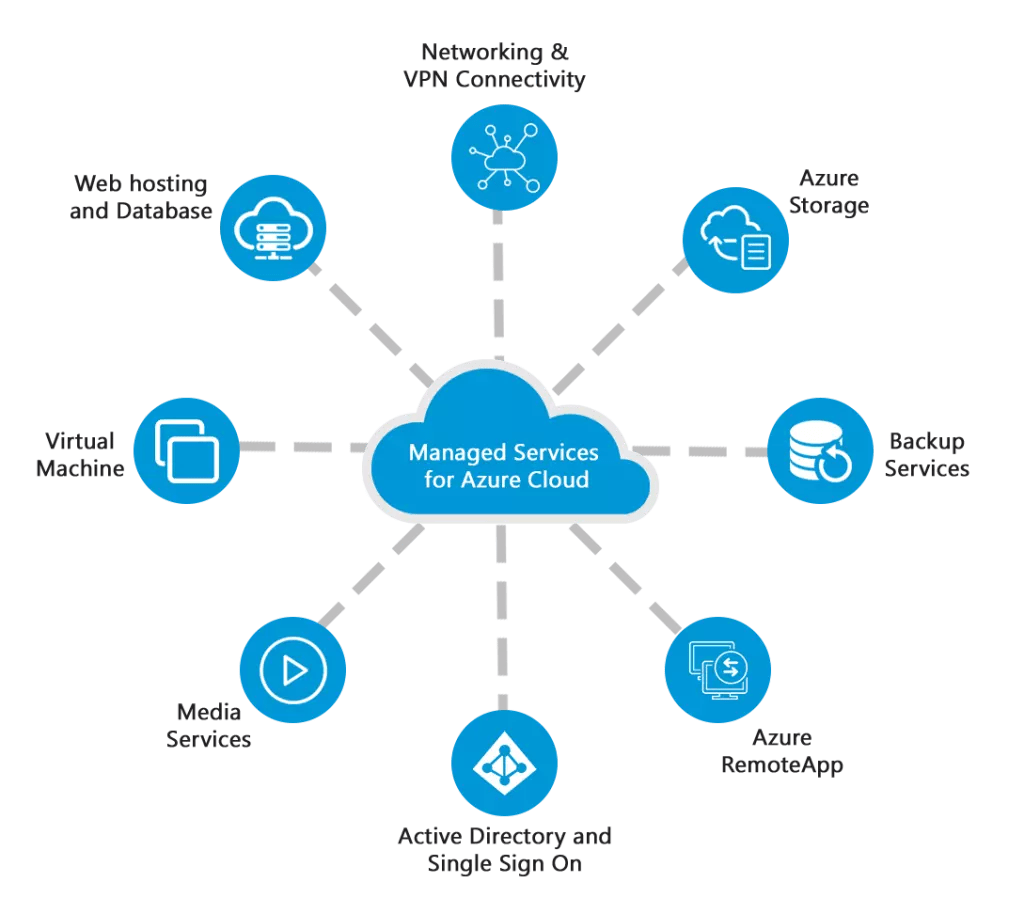
Azure App Service doesn’t operate in isolation. It integrates seamlessly with other Azure services like Azure Active Directory for authentication, Azure Monitor for insights, and Azure SQL Database for data storage. This interconnectedness makes it a central component in modern cloud architectures.
“Azure App Service allows developers to focus on their core app logic instead of infrastructure management.” — Microsoft Azure Documentation
Key Benefits of Using Azure App Service
One of the biggest reasons developers and enterprises choose Azure App Service is its ability to simplify complex deployment workflows while maintaining high performance and security standards.
Automatic Scaling and High Availability
Azure App Service supports both vertical and horizontal scaling. You can scale up by upgrading your pricing tier (e.g., from Basic to Premium) or scale out by adding more instances to handle traffic spikes.
- Auto-scale rules can be based on CPU usage, memory, or request count
- Built-in load balancer ensures even distribution of traffic
- Supports up to 30 instances per app (depending on the plan)
This flexibility ensures your application remains responsive during peak loads without over-provisioning resources during low-traffic periods.
Integrated DevOps and CI/CD Pipelines
With native support for continuous integration and deployment, Azure App Service connects directly to source control repositories. You can automate builds and deployments using GitHub Actions, Azure Pipelines, or even local Git pushes.
- Zero-downtime deployments with deployment slots
- Staging environments for testing before production rollout
- Automated rollback options in case of failure
For teams practicing agile development, this reduces deployment friction and accelerates time-to-market.
Azure App Service vs. Other Hosting Options
Understanding how Azure App Service compares to alternatives like Virtual Machines, Kubernetes, and AWS Elastic Beanstalk helps clarify its unique value proposition.
App Service vs. Azure Virtual Machines
While Azure VMs give you full control over the operating system and infrastructure, they require manual setup, patching, and scaling. Azure App Service abstracts all of that away.
- VMs: Full control, higher maintenance
- App Service: Less control, zero infrastructure management
- Best for: VMs when you need custom software; App Service for standard web apps
If your goal is rapid deployment and minimal ops overhead, Azure App Service wins hands down.
App Service vs. Azure Kubernetes Service (AKS)
AKS is ideal for microservices architectures requiring container orchestration. However, it introduces complexity in networking, storage, and service discovery.
- AKS: Best for containerized, distributed systems
- App Service: Simpler for monolithic or small-scale apps
- App Service now supports containers too, blurring the lines
For most web applications, especially those not yet containerized, Azure App Service offers a faster, more cost-effective path.
Deployment Options and Supported Runtimes
Azure App Service supports a wide variety of deployment methods and runtime environments, making it one of the most versatile PaaS solutions available.
Supported Programming Languages and Frameworks
Whether you’re a .NET developer or a Python enthusiast, Azure App Service has you covered. Supported runtimes include:
- .NET, .NET Core, ASP.NET
- Java SE, Tomcat, Jetty
- Node.js with various npm versions
- Python (2.7, 3.6–3.11)
- PHP (5.6 to 8.2)
- Go and Ruby (via custom containers)
You can also bring your own Docker container if your app requires a specific environment.
Multiple Deployment Methods
Deploying to Azure App Service is flexible and developer-friendly. Options include:
- Git push (local or GitHub)
- ZIP deploy or run-from-package
- CI/CD via Azure DevOps or GitHub Actions
- FTP/S deployment for legacy workflows
- Visual Studio and VS Code integration
The Azure App Service deployment center provides a unified interface to configure any of these methods with minimal setup.
Security and Compliance in Azure App Service
Security is not an afterthought in Azure App Service—it’s built-in from the ground up, meeting global compliance standards and offering robust protection mechanisms.
Built-in Authentication and Authorization
Azure App Service provides an easy way to secure your apps using Azure Active Directory (AAD), Facebook, Google, Twitter, and Microsoft Account logins.
- No need to write custom login code
- Token validation handled automatically
- Role-based access control (RBAC) integration
This feature, known as App Service Authentication, simplifies identity management and reduces the risk of security vulnerabilities in custom auth implementations.
Network Security and Private Endpoints
To protect your apps from public exposure, Azure App Service supports:
- Virtual Network (VNet) integration for private connectivity
- Private Endpoints to access apps over private IP addresses
- IP restrictions to allow or block traffic from specific ranges
- Web Application Firewall (WAF) integration via Azure Front Door or Application Gateway
These features are critical for enterprise applications that must comply with regulations like HIPAA, GDPR, or FedRAMP.
Monitoring, Diagnostics, and Performance Tuning
Even the best-deployed app can suffer from performance issues. Azure App Service provides comprehensive tools to monitor, diagnose, and optimize your applications.
Application Insights Integration
Application Insights, part of Azure Monitor, is deeply integrated with Azure App Service. It provides real-time telemetry on:
- Request rates, response times, and failure counts
- Exception tracking and stack traces
- Dependency monitoring (e.g., database calls)
- Custom metrics and events
You can set up alerts based on performance thresholds and get notified before users are affected.
Log Streaming and Debugging Tools
When things go wrong, Azure App Service offers several debugging options:
- Log streaming for real-time console output
- Web server logging (IIS logs on Windows, Docker logs on Linux)
- Detailed error pages and failed request tracing
- Kudu console (advanced debugging via SCM site)
The Kudu service (yourapp.scm.azurewebsites.net) is a powerful tool for developers, offering a command-line interface, process explorer, and environment variables viewer.
Pricing Tiers and Cost Optimization
Understanding Azure App Service pricing is crucial for budgeting and optimizing cloud spend. The service offers several tiers, each with different capabilities and costs.
Free, Shared, and Basic Tiers
These entry-level tiers are ideal for development, testing, or low-traffic sites.
- Free tier: Limited CPU, no custom domains, shared infrastructure
- Shared tier: Slightly better performance, still shared
- Basic tier: Dedicated VM, but no auto-scaling
While cost-effective, these tiers lack features like SSL on custom domains and auto-scale, making them unsuitable for production workloads.
Standard, Premium, and Isolated Tiers
For production applications, Standard and above are recommended.
- Standard: Auto-scale, custom domains, SSL, and backup support
- Premium: Enhanced performance, VNet integration, private endpoints
- Isolated (ASE): Fully isolated environment for high-security needs
The Azure App Service pricing page provides detailed cost comparisons, including per-hour and per-instance pricing.
Best Practices for Managing Azure App Service
To get the most out of Azure App Service, follow these proven best practices that enhance reliability, security, and performance.
Use Deployment Slots for Zero-Downtime Deployments
Deployment slots allow you to run multiple versions of your app (e.g., staging, production) under the same app service plan.
- Swap slots with preview to test in production-like conditions
- Automate swaps using CI/CD pipelines
- Route traffic gradually using weighted routing (staged rollout)
This minimizes risk and ensures smooth updates without user disruption.
Enable Auto-Healing and Backup Features
Azure App Service includes auto-healing capabilities that can restart your app if it becomes unresponsive.
- Configure auto-heal rules based on HTTP error rates or memory usage
- Schedule daily, weekly, or monthly backups
- Store backups in Azure Storage or external locations
Backups can include the app content and database, enabling full recovery in case of data loss.
What is Azure App Service used for?
Azure App Service is used to host web applications, RESTful APIs, and mobile backends. It supports multiple languages and frameworks, enabling developers to deploy and scale apps without managing infrastructure.
Can Azure App Service run Docker containers?
Yes, Azure App Service supports custom Docker containers on both Linux and Windows. You can deploy images from Azure Container Registry, Docker Hub, or private registries.
How does Azure App Service handle scaling?
Azure App Service offers manual and automatic scaling. You can scale up (increase instance size) or scale out (add more instances) based on metrics like CPU, memory, or request count.
Is Azure App Service secure?
Yes, Azure App Service includes built-in security features like authentication/authorization, private endpoints, IP restrictions, and integration with Azure Security Center and WAF.
What is the difference between App Service and Functions?
Azure App Service is for long-running web apps, while Azure Functions is for event-driven, short-lived serverless functions. Both can be used together in a microservices architecture.
Azure App Service is a powerful, flexible, and secure platform that simplifies web application deployment and management in the cloud. From automatic scaling to integrated DevOps and robust security, it offers everything modern developers need to build and maintain high-performance applications. Whether you’re a startup or an enterprise, leveraging Azure App Service can significantly reduce operational complexity and accelerate your development lifecycle.
Further Reading: